

Close Menu
    Facebook X (Twitter) Instagram
    • About
    • Privacy Policy
    • Write For Us
    • Newsletter
    • Contact
    Instagram
    About ChromebooksAbout Chromebooks
    • Linux
    • News
      • Stats
      • Reviews
    • AI
    • How to
      • DevOps
      • IP Address
    • Apps
    • Business
    • Q&A
      • Opinion
    • Gaming
      • Google Games
    • Blog
    • Podcast
    • Contact
    About ChromebooksAbout Chromebooks
    News

    Skip the touchscreen and this Acer Chromebook Plus is $299

    Kevin TofelBy Kevin TofelJanuary 8, 2024Updated:September 12, 2025No Comments2 Mins Read

    Looking for a low-cost Chromebook Plus laptop? If you’re willing to forgo a touchscreen, the Acer Chromebook Plus 515 fits the bill. Normally priced at an already reasonable $399, Best Buy is selling it for $299 through January 14.

    Like all Chromebook Plus models, the Acer meets the minimum requirements to carry that branding. No, a touch display isn’t in the minimum requirements. Whether it should be or not is a different story.
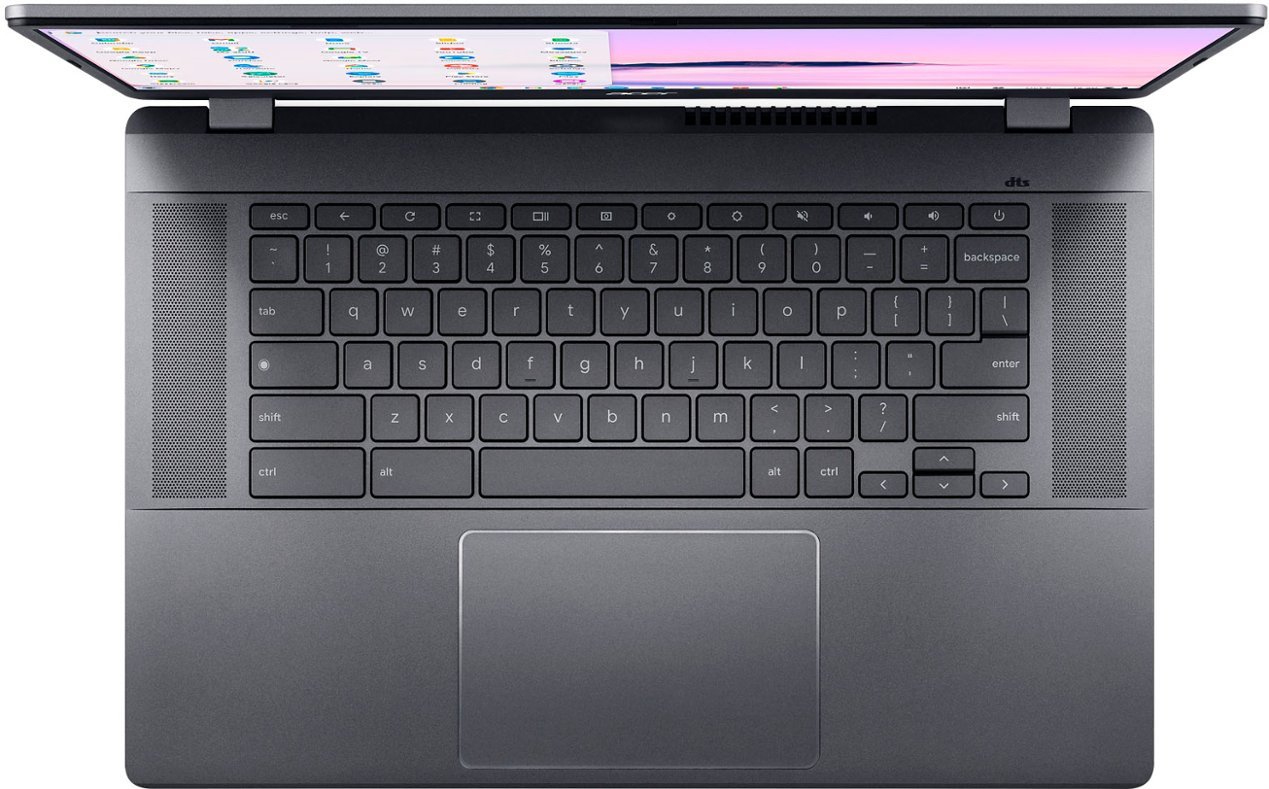
    Acer Chromebook Plus 515 keyboard and trackpad

    So in terms of hardware, the Acer Chromebook Plus 515 runs on a 12th generation Intel Core i3 processor. It’s the 1215U, which is fairly common in recent Core i3 Chromebooks. It also has the required minimum memory and local storage: 8 GB of RAM and 128 GB of UFS storage. UFS is faster than the old eMMC storage found in older Chromebooks, so that’s a win.

    The display may lack touch capabilities but it’s not lacking in size. This is a 15.6-inch anti-glare IPS panel with 1920 x 1080 resolution. If you like a 16:9, or widescreen, aspect ratio, you’ll be happy. Personally, I prefer the extra real estate of a 16:10 Chromebook display but that’s just me.

    Port selection on the Acer Chromebook Plus 515 is more than reasonable as well. Both the left and right side of this laptop have USB Type-C ports, for example. There’s also a single Type-A, a full-sized HDMI and microphone/headphone jack.
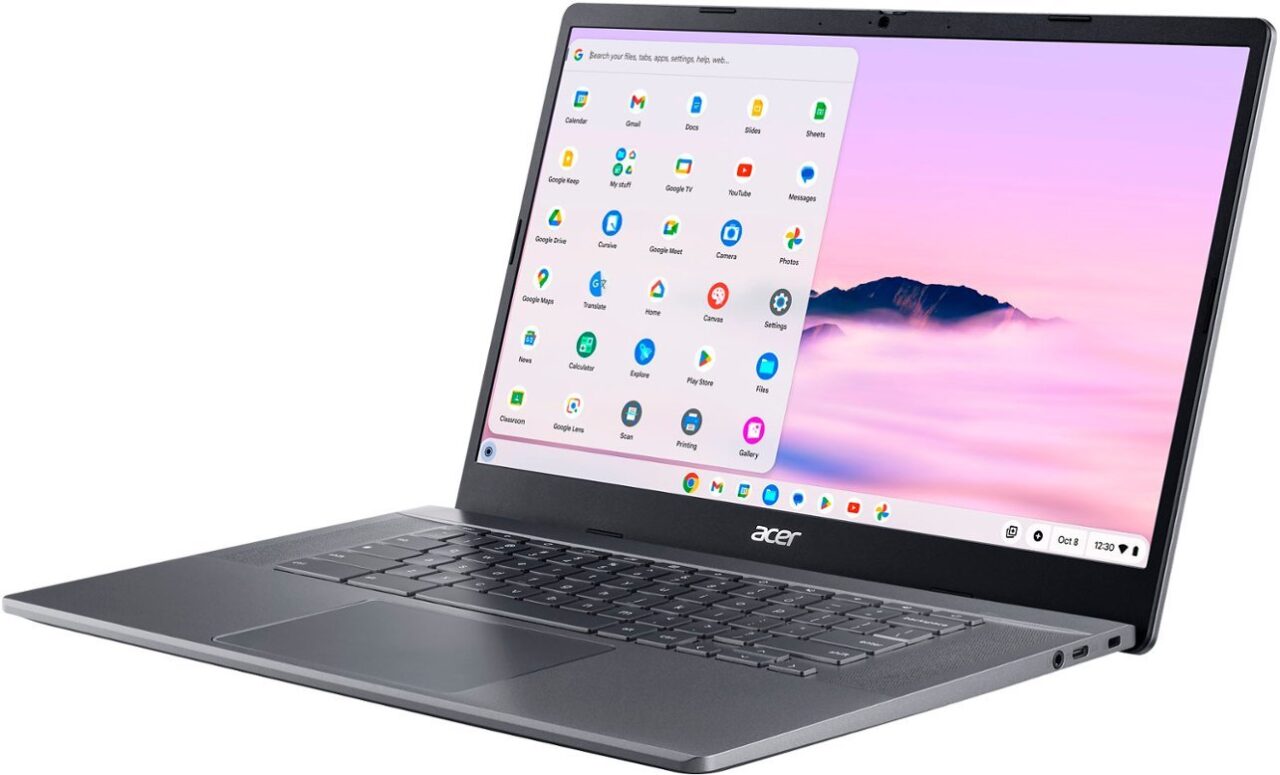
    Acer Chromebook Plus 515 right side

    Aside from missing touch screen functionality, there are two additional features you might want but aren’t present. There is no microSD card slot to expand your local storage, for example. And the keyboard isn’t backlit.

    If you don’t mind those omissions and simply want the Chromebook Plus experience for under $300, I recommend checking out this Asus model. It’s not the most premium of the Plus devices. However, it nails the basics and has a current sale price near most entry-level Chromebooks.

    Get the Acer Chromebook Plus 515
    Kevin Tofel
    • Website

    After spending 15 years in IT at Fortune 100 companies, Kevin turned a hobby into a career and began covering mobile technology in 2003. He writes daily on the industry and has co-hosted the weekly MobileTechRoundup podcast since 2006. His writing has appeared in print (The New York Times, PC Magazine and PC World) and he has been featured on NBC News in Philadelphia.

    Best of AI

    Imagen AI: The Best Photo Editing AI In 2026

    April 21, 2026

    Alphafold AI from Google Deepmind 2026

    April 21, 2026

    Agentic AI Pindrop Anonybit: The Future of Secure Identity Verification

    April 17, 2026

    Google Bard Statistics And User Data 2026

    April 10, 2026

    Azure OpenAI Explained

    April 10, 2026
    Trending Stats

    ChromeOS App Ecosystem Growth Statistics 2026

    April 25, 2026

    Chromebook vs Tablet Usage In Education Statistics 2026

    April 23, 2026

    ChromeOS Update Frequency Statistics 2026

    April 22, 2026

    Chromebook Wi-Fi Performance Statistics 2026

    April 18, 2026

    Chromebook Crash Rates Statistics 2026

    April 17, 2026
    • About
    • Tech Guest Post
    • Contact
    • Privacy Policy
    • Sitemap
    © 2026 About Chrome Books. All rights reserved.

    Type above and press Enter to search. Press Esc to cancel.