


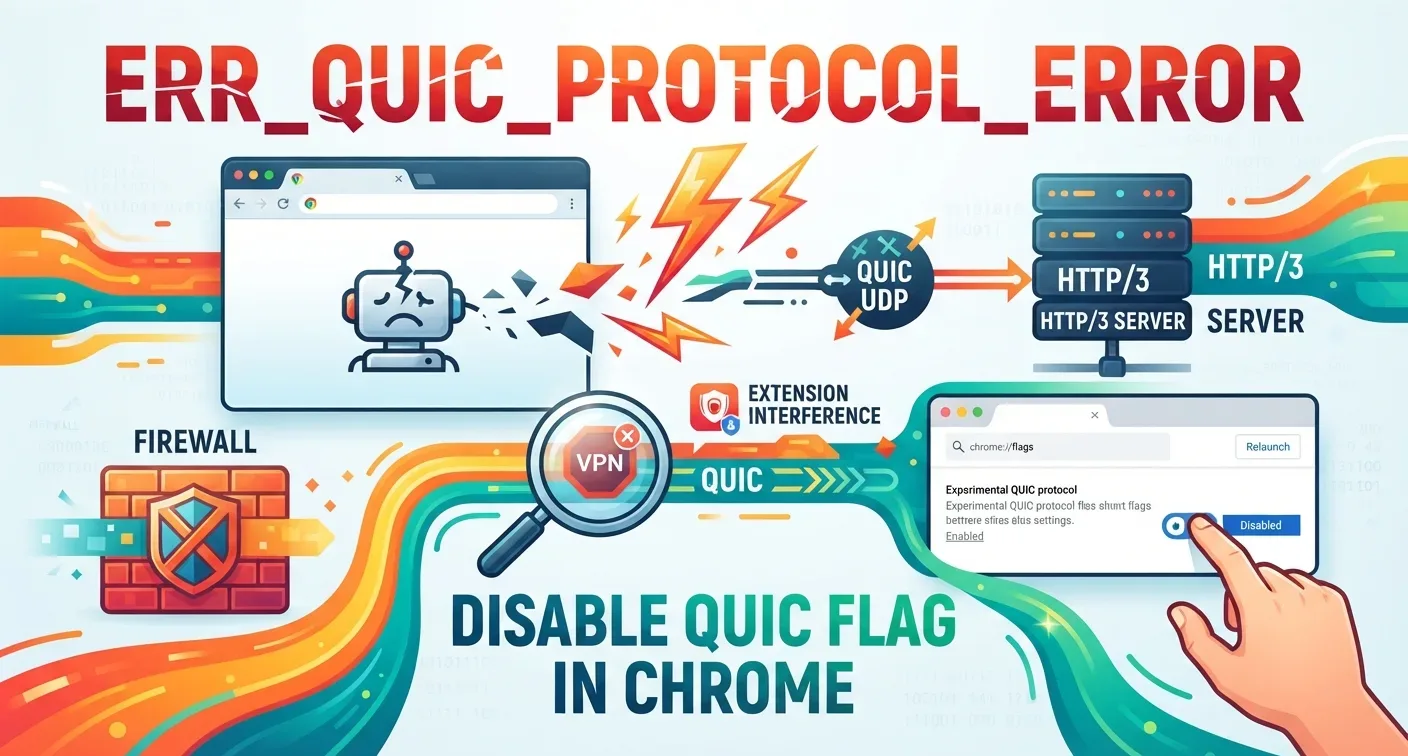
Chrome stops the page and prints ERR_QUIC_PROTOCOL_ERROR. Firefox or Safari open the same address without complaint. The fault sits with QUIC, the UDP-based transport Chrome reaches for first, and it breaks when a firewall, extension, proxy or server refuses the handshake. Most people clear it in under a minute by flipping one flag.
What ERR_QUIC_PROTOCOL_ERROR Means in Chrome
QUIC stands for Quick UDP Internet Connections. Google built it to move web traffic faster than TCP, and it now carries HTTP/3.
Chrome tries QUIC first. When the handshake never completes, it prints a fault instead of the page. The wording usually reads: “This site can’t be reached. The webpage at https://example.com/ might be temporarily down or it may have moved permanently to a new web address.”
The site is rarely offline. Chrome and the path the request takes simply disagree.
What Causes ERR_QUIC_PROTOCOL_ERROR
QUIC rides on UDP. Older routers, office firewalls and deep packet inspection gear never expected port 443 to carry UDP, so they drop the packets.
Extensions are the second suspect. VPN tools, ad blockers and security add-ons intercept requests and stop QUIC because the traffic looks unfamiliar. The same interference produces memory access crashes on other pages.
Hand-typed or inherited proxy entries cause the rest. Most proxies were written for HTTP and HTTPS over TCP, which is why bad entries also sit behind tunnel connection failures.
An ageing Chrome build matters too. Google revises Chrome and QUIC together, so a stale copy speaks an older dialect than the server expects.
How to Fix ERR_QUIC_PROTOCOL_ERROR as a Visitor
Disable the experimental QUIC protocol
Type chrome://flags/ in the address bar and press Enter. Search “quic”, set Experimental QUIC protocol from Default to Disabled, then press Relaunch.
Chrome falls back to HTTP/2 over TCP. Pages open again and the speed difference is barely measurable.
Switch off Chrome extensions
Open chrome://extensions/ and toggle everything off. Restart Chrome and reload the page.
If it loads, re-enable extensions one at a time until the fault returns, then delete the offender for good. VPN utilities top the list.
Check proxy settings
On Windows, open Internet Options, pick the Connections tab, press LAN settings, and clear “Use a proxy server for your LAN” if you never set it. Ask IT first on a work machine.
Mac owners find the same controls under System Settings, Network, then Proxies.
Clear cache and cookies
Press Ctrl+Shift+Delete on Windows or Cmd+Shift+Delete on a Mac. Choose All time, tick cookies and cached files, then press Clear data.
The full cache and cookie routine logs you out of most sites, though it removes damaged browser state that nothing else reaches. Stale entries also trigger cache miss errors on forms.
Update Chrome and reset the connection
Open the three-dot menu, choose Help, then About Google Chrome. Chrome downloads and asks you to relaunch.
Then unplug the router for 30 seconds. That same reset clears empty server responses and cases where pages hang without loading.
Test in an incognito window
Press Ctrl+Shift+N or Cmd+Shift+N and load the address there. Incognito skips saved cookies and disables extensions by default.
If the page opens, your everyday profile is the problem, not the server.
How Much of the Web Actually Uses QUIC
Cloudflare Radar data for July 2026 puts HTTP/3, which runs on QUIC, at 19.84% of web requests, with HTTP/2 at 52.27% and HTTP/1.x taking the remainder.
The share has been slipping. HTTP/3 measured 21.64% of requests in July 2025 and 20.85% in June 2026 before falling below 20% for the first time.
W3Techs counts sites rather than requests and reported 38.8% advertising HTTP/3 support in April 2026. Advertising it and negotiating it cleanly are different things, which is exactly where this error lives.
Fixing ERR_QUIC_PROTOCOL_ERROR From the Server Side
Start at the origin. Confirm stable HTTP/3 support, current TLS certificates and correct ALPN values, then read logs for handshake and negotiation failures.
Move outward to the network. Port 443 needs to accept UDP, not TCP alone, and load balancers need real UDP balancing with session stickiness. Scattering one connection’s packets across back-end machines breaks QUIC outright.
Check the CDN next. Cloudflare and AWS CloudFront both ship HTTP/3 controls that maintenance work sometimes switches off, and bot defence can fight QUIC without saying so.
Then test the fallback rather than assuming it. Build an automatic step-down to HTTP/2 or HTTP/1.1 and exercise the whole site with QUIC disabled. Test on mobile data too, where carrier-grade NAT makes QUIC awkward. Errors like connection timeouts often surface on those networks first.
FAQs
How do I fix ERR_QUIC_PROTOCOL_ERROR?
Open chrome://flags/, search for quic, set Experimental QUIC protocol to Disabled, and relaunch Chrome. If the page still fails, disable extensions, clear cache and cookies, and check proxy settings.
Is it safe to disable QUIC in Chrome?
Yes. Chrome falls back to HTTP/2 over TCP, which is encrypted and widely supported. Nothing breaks, and you can re-enable the flag at any time once the server or network is fixed.
Does disabling QUIC slow down browsing?
Barely. QUIC trims connection setup time on high-latency links, so the difference is measured in milliseconds. Most people notice no change on broadband, and HTTP/2 still handles multiplexing.
What does Reddit recommend for ERR_QUIC_PROTOCOL_ERROR?
Reddit threads in r/chrome and r/techsupport settle on the same order: disable the QUIC flag, then remove VPN extensions, then clear cache. Reddit posters also report the fault vanishing after a Chrome update.
Do Reddit users see ERR_QUIC_PROTOCOL_ERROR on Chromebooks?
Yes. Reddit reports place it on ChromeOS as often as Windows, since both run the same Chrome network stack. The flag fix works identically on a Chromebook.
